FraudWorks

Product · Document Check

Checks the file, the pixels, and the math

Upload a receipt, invoice, bank statement, or pay stub. Get a verdict, a 0 to 100 Risk Score, and every signal that fired, marked on the page.

Needs review

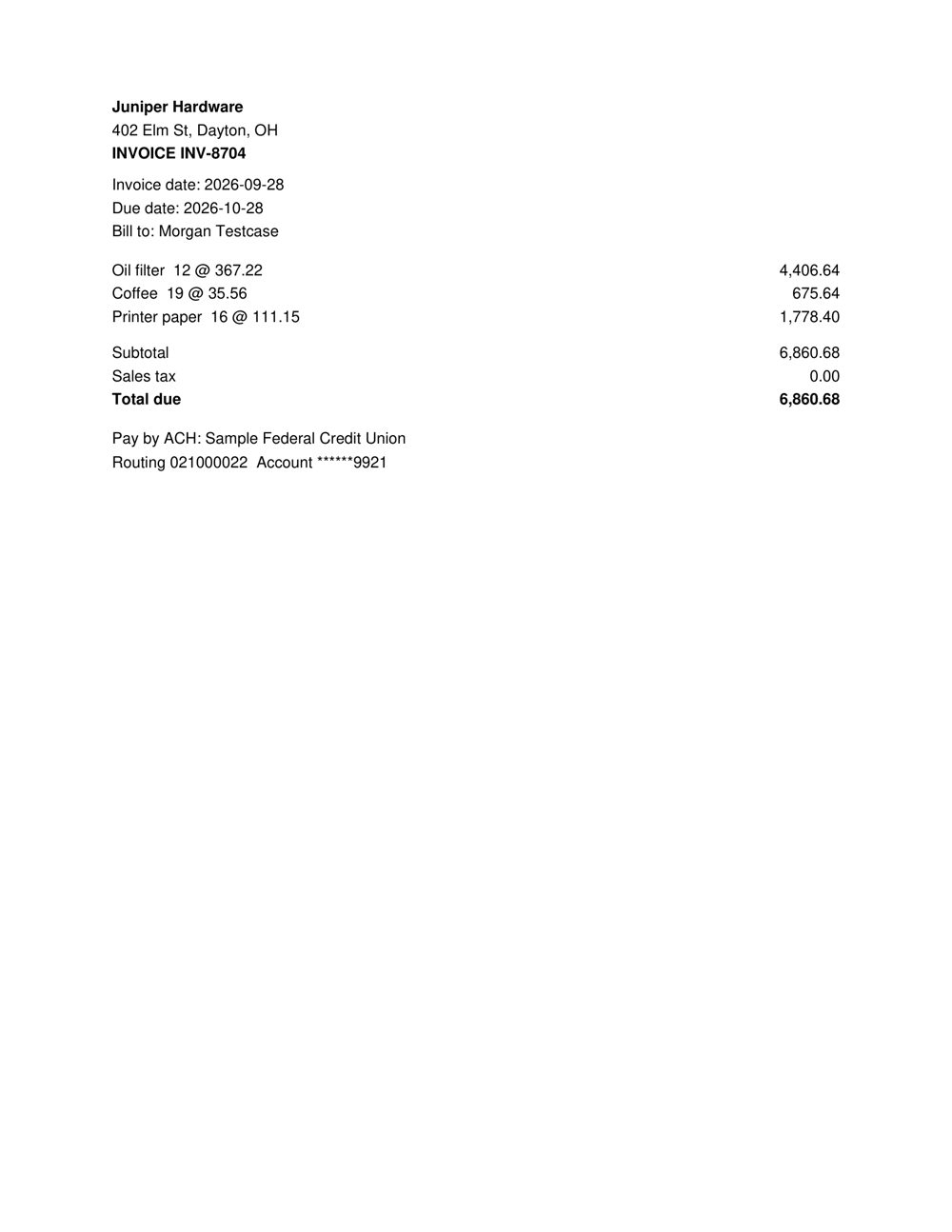
Edited with a consumer PDF editor. Format anomaly.

chk_71FXVTMVSYYDS6HE10GZVZSADN · engine 1.0.0

Risk Score64/100
Document typeInvoice
Created withiLovePDF
Edited after creationFlagged: Yes
AI provenanceNot found
Math checksPassed
Pages1
Page 1 of the document

Supported documents

Built for financial documents

Receipts

Restaurant, travel, retail, and fuel.

Invoices

Line items, tax, totals, and remittance details.

Bank statements

Every running balance recomputed.

Pay stubs

Net pay, Social Security, Medicare, and year to date.

Tax forms

Provenance, structure, and pixel checks.

Other documents

Any PDF, JPG, PNG, HEIC, or WEBP up to 20 MB.

How it works

Four layers, combined transparently

Each layer runs independently. Signals combine into the Risk Score, so several medium findings add up and no single weak one decides.

02

File structure

Reads the PDF itself: which programs created and last saved it, revisions added after creation, fonts that appear in one number only, shapes drawn over text, and text that differs from what the page shows.

04

Content logic

Reads the document's fields, then checks them in plain code: line items against the subtotal, subtotal plus tax against the total, running balances, payroll tax rates, dates, card brands, and routing numbers.

Check types

Standard or Deep, your choice per document

Standard check

Reads the document's text. Fastest.

  • Uses the text inside the PDF, or OCR for photos and scans.
  • Every file, metadata, and pixel check included.
  • Best for clean PDFs exported from a bank, payroll, or billing system.
  • Results in a few seconds.

Deep check

Recommended

Reads the page the way a person does.

  • Reads the page image itself, layout and all, so faint or skewed print is less likely to be misread.
  • Every file, metadata, and pixel check included.
  • Best for phone photos, scans, and long or complex statements.
  • Takes about 20 to 30 seconds.

With an account

Built for review work

These arrive with accounts. The live demo shows the same result card today.

  • Batch upload

    Up to 50 files at once, with a summary of verdicts.

  • PDF reports

    A one-page report per result, ready to attach to a case.

  • Share links

    Read-only links for teammates, with expiry.

  • Feedback

    Mark results as confirmed fraud or genuine to tune your account.

Roadmap

One account, more checks

Document Check is the first product. The same account, plan, and credits will cover the next ones.

Planned

Payment Check

Verify a vendor's bank account change before you pay it.

Planned

Signup Check

Stop multi-accounting and free-credit abuse at signup.

FAQ

Common questions

Something else? hello@fraud.works

Is it 100% accurate?

No tool is. FraudWorks finds evidence of tampering and shows it; it cannot prove a document is genuine, which is why the clean verdict says no issues found. Every finding comes with its evidence so a person can judge it.

What file types does it take?

PDF, JPG, PNG, HEIC, and WEBP, up to 20 MB and 10 pages. The live demo takes files up to 10 MB.

How long are files kept?

Demo uploads are never stored. With accounts, originals are deleted after 30 days by default (7 on Free, 1 to 365 on Business), and every result has a delete button.

Can I use it for tenant screening or lending?

Results are fraud risk signals for your own internal review, not consumer reports. Do not use them as the only basis for denying housing, credit, employment, or insurance.

Does it use AI?

Reading a document's fields uses a language model. Every check that decides a signal, from the math to the PDF structure, runs in plain code, so the same document always gets the same findings.
Check your first document in under a minute.

Try the live demo on a sample or on your own file. No account needed.